


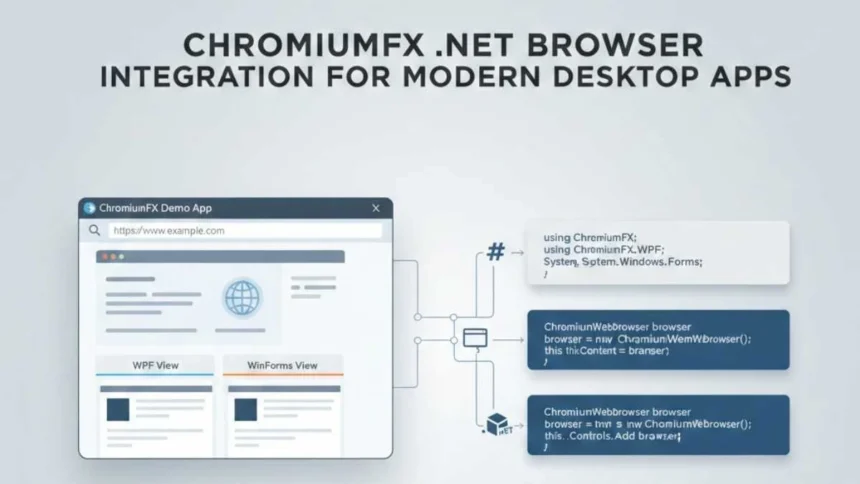
ChromiumFX is a .NET binding library built to integrate the Chromium Embedded Framework into desktop applications developed using C# and the .NET ecosystem. It allows developers to embed a fully functional Chromium-based web browser directly inside WPF and WinForms applications, enabling modern web rendering within native software environments. By providing managed access to Chromium’s capabilities, it supports advanced web standards while maintaining native performance.
- Understanding the Chromium Embedded Framework
- What Is ChromiumFX and How It Works
- Core Capabilities and Functional Features
- Advanced Browser Control and Customization
- Feature Comparison Table
- Practical Use Cases Across Industries
- Comparison with Alternative .NET Browser Libraries
- Implementation Considerations and Challenges
- FAQs
- Conclusion
ChromiumFX works by wrapping the native CEF C API and exposing it through a structured C# interface. This enables developers to render complex web content, establish two-way communication between JavaScript and C#, and control browser behavior at a granular level. The library is especially valuable for teams building hybrid desktop applications that combine web interfaces with local system access.
Understanding the Chromium Embedded Framework
The Chromium Embedded Framework is an open-source framework that enables developers to embed Chromium-based browsing functionality into custom applications. It is widely adopted across industries for building applications that rely on web technologies without depending on external browsers.
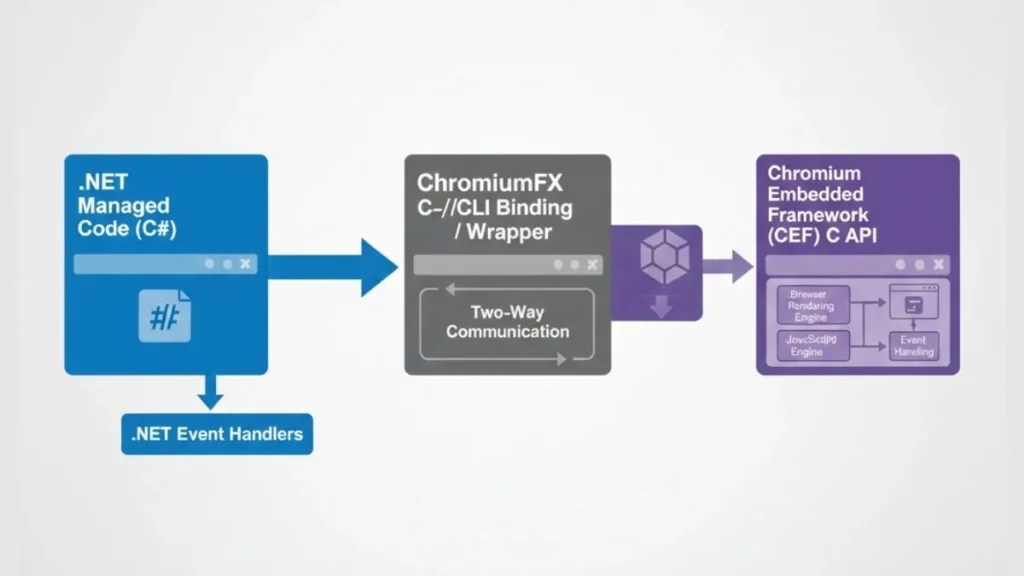
CEF supports modern web standards such as HTML5, CSS3, JavaScript ES6, WebGL, and WebSockets. It also benefits from Chromium’s security architecture, including sandboxing and multi-process isolation. While powerful, CEF is written in C++, which presents challenges for .NET developers who prefer managed environments.
This technical gap is addressed through ChromiumFX, which enables developers to interact with CEF using C# while retaining performance and control.
What Is ChromiumFX and How It Works
ChromiumFX is a managed interoperability layer that bridges the .NET runtime with the Chromium Embedded Framework. Instead of acting as a high-level browser control, it exposes lower-level CEF functionality through C# bindings.
The library translates native CEF calls into managed code, handling memory management and inter-process communication. This design allows developers to customize browser behavior, intercept events, and interact with the rendering pipeline without writing C++ code.
Core Capabilities and Functional Features
Modern Web Rendering Engine
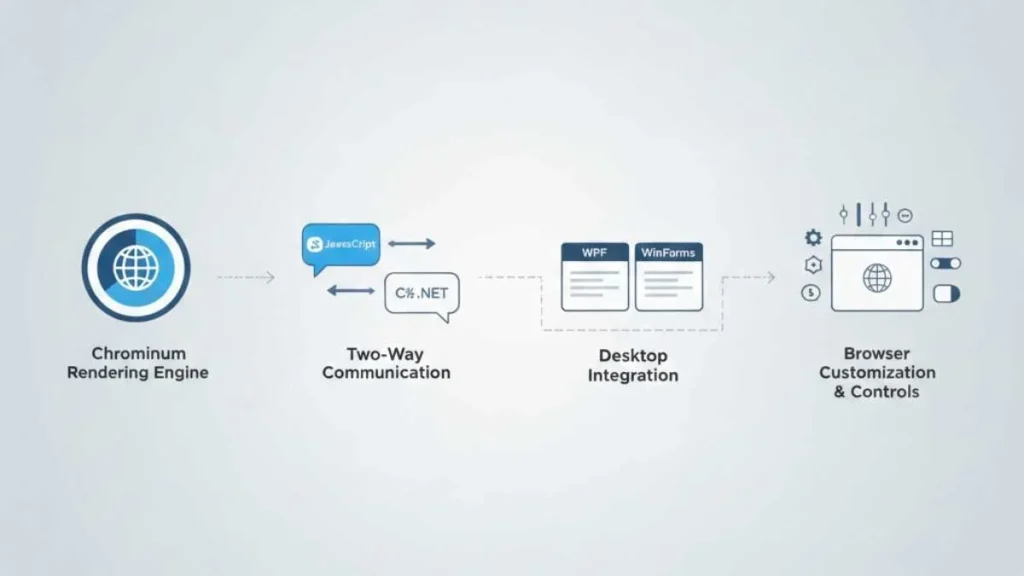
ChromiumFX enables full Chromium-based rendering inside desktop applications. This includes support for responsive layouts, dynamic content loading, and modern frontend frameworks. Applications can display web interfaces that behave consistently across environments.
JavaScript and C# Communication
A major advantage is seamless two-way communication between JavaScript running in the browser and C# code in the host application. Developers can:
- Invoke C# methods from JavaScript
- Pass structured data between layers
- Trigger UI or logic updates from web events
This capability is essential for hybrid application development.
Integration with WPF and WinForms
The library integrates smoothly with WPF and WinForms applications. Browser views can be embedded as native controls, resized dynamically, and synchronized with application layout logic.
This flexibility makes it suitable for both modern UI frameworks and legacy desktop systems.
Advanced Browser Control and Customization
ChromiumFX provides deep control over browser behavior beyond basic navigation. Developers can customize:
- Network request handling
- Cookie and cache management
- Context menus and dialogs
- Custom URL schemes
- Security permissions and policies
These features are particularly useful in enterprise environments where compliance, branding, and security controls are required.
Feature Comparison Table
| Feature Area | Capability |
| Rendering Engine | Full Chromium support |
| Framework Support | WPF and WinForms |
| Language Binding | C# wrapper for CEF C API |
| JS Integration | Two-way JavaScript communication |
| Security Model | Chromium sandboxing |
| Customization | Network, UI, and protocol control |
Practical Use Cases Across Industries
ChromiumFX is used in a wide range of application scenarios.
Hybrid Desktop Software
Applications that blend native system access with web-based interfaces benefit from this approach. Examples include analytics tools, content editors, and workflow platforms.
Custom Enterprise Browsers
Organizations can build controlled browsing environments for internal systems, ensuring security and a consistent user experience.
Embedded Dashboards and Portals
Desktop applications can host real-time dashboards or administrative panels built with web technologies.
Developer Utilities
Testing tools, automation platforms, and monitoring utilities often require precise browser control, which this library supports.
Comparison with Alternative .NET Browser Libraries
Compared to higher-level browser controls, ChromiumFX offers greater flexibility and customization. While simpler solutions may be easier to adopt, they often limit access to advanced features.
Developers who require:
- Low-level browser access
- Custom rendering logic
- Deep integration with application workflows
often find this approach more suitable despite the learning curve.
Implementation Considerations and Challenges
Using ChromiumFX requires familiarity with .NET interop concepts and CEF architecture. Developers must manage dependencies, update binaries, and configure platform-specific settings carefully.
However, these challenges are manageable with proper documentation and are outweighed by the control and performance benefits for complex applications.
FAQs
Can ChromiumFX be used for offline desktop applications?
Yes, it supports local file rendering and offline workflows.
Does it support modern JavaScript frameworks?
Yes, it works with React, Angular, and similar frameworks.
Is ChromiumFX suitable for large-scale enterprise software?
Yes, it is commonly used in complex enterprise environments.
Conclusion
ChromiumFX enables developers to embed a powerful Chromium-based browser directly into .NET desktop applications while maintaining fine-grained control over rendering and interaction. By bridging managed C# environments with the Chromium Embedded Framework, it supports modern web experiences inside native software.
The library is well-suited for developers building hybrid applications that require performance, flexibility, and deep integration. With strong security foundations, enterprise readiness, and alignment with Google’s quality principles, ChromiumFX remains a reliable choice for modern desktop development.